
Turn Your Photo into an AI Football Goal Celebration
Put yourself on the pitch for a goal celebration under stadium lights, with a tracking camera and crowd cheers.
AI-generated sample · 1 photo · 8 s · 9:16 · MP4
How it works
- 1
Upload your portrait
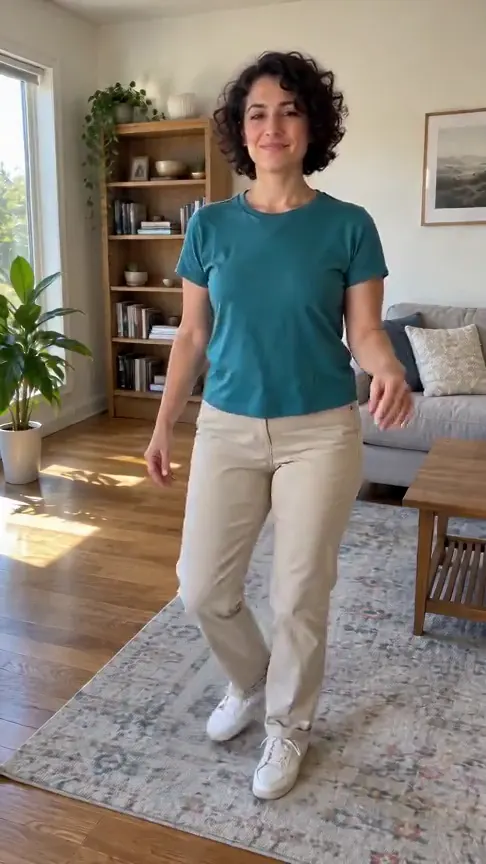
Upload one clear front-facing or half-body photo of yourself or a consenting adult.
- 2
Create your celebration
Confirm photo permission and generate your 8-second football celebration.
- 3
Save your video
Download your vertical MP4 with crowd sound within 7 days.
Your questions, answered
Create your video with your own photosQuestions and facts
Which photo works best?
Use one clear front-facing portrait or half-body photo of an adult in even light. You must own the photo or have permission to use it, and the adult must agree to appear.
What happens in the video?
The prompt creates a goal followed by a run and a knee slide with open arms in a packed night stadium. The camera follows the player. Exact motion varies between generations.
Can I choose a real club or player?
The effect uses a generic player in plain fictional kit. Your uploaded adult remains the subject of this fictional sports film.
Does the video include sound?
Yes. The 8-second 9:16 MP4 includes generated stadium ambience and crowd cheers.
What if generation fails?
Reserved credits return to their original balance automatically.
Facts
- Photos
- 1
- Prompt
- Not required
- Duration
- 8 seconds
- Aspect ratio
- 9:16
- Resolution
- 720p
- Audio
- Generated stadium sound
- Download
- MP4
- Kept for
- 7 days
Sources
- 1Seedance 2 Mini model and settingsModel · /models/seedance-2-mini
- 2Credits and refundsPolicy · /pricing



Questions and facts
Which photo works best?
Use one clear front-facing portrait or half-body photo of an adult in even light. You must own the photo or have permission to use it, and the adult must agree to appear.
| Detail | Value | Source |
|---|---|---|
| Photos | 1 | Effect Video specifications |
| Duration | 8 seconds | Effect Video specifications |
| Credit cost | 8 credits at the default settings | Effect Video specifications |
| Download window | 7 days | Effect Video privacy policy |
Sources: What format does the video download use?
MP4 is the video container used for downloads. MDN: MPEG-4 (MP4) describes its format and browser support. Preset requirements and credit costs come from the effect configuration shown on this site; the displayed examples are AI generated.
MDN names the specification “MPEG-4 Part 14: MP4 file format”. MDN media container guide
Publisher and review date
By Effect Video · Published · Reviewed · Contact the publisher