Alibaba Cloud ·
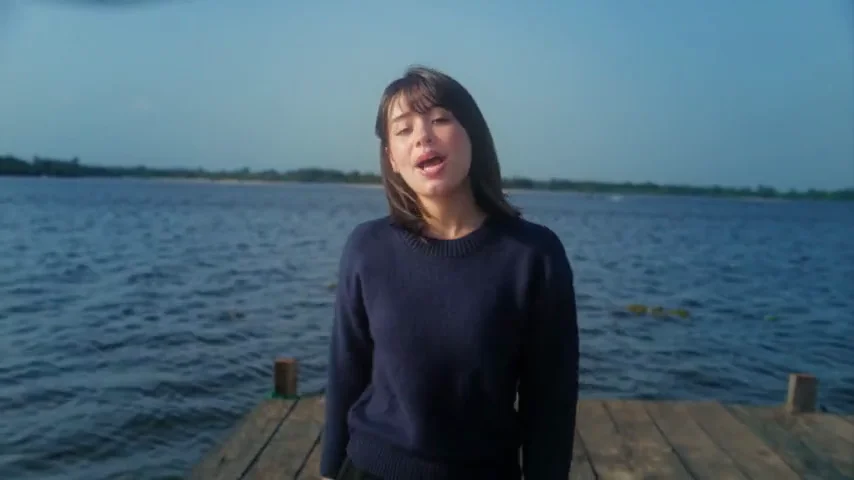
Alibaba Cloud official 30s: Wan3.0 Public Beta; native 30-second generation, Omni-Reference (per description).
Generate videos with Wan 3.0 on Effect Video. Explore benchmark insights, creator tests, resolution options, and settings before creating your clip.
By Effect VideoUpdated

Wan 3.0 is Alibaba's video model. On Effect Video you start it from a text prompt, optionally add one reference photo, and choose a length of 2, 5, 10, 15 or 30 seconds at 480p, 720p or 1080p, with the total credits shown before you generate. This guide also covers what the official materials say about it and what benchmark sources and creators have shared.
Wan 3.0 is a video generation model from Alibaba. Alibaba Cloud Model Studio publishes a Wan3.0 Video Generation guide and a Wan3.0 Video Generation API Reference for developers.
On 2026-08-06, Alibaba Cloud published the video Wan 3.0 now in Public Beta. Per its description, the beta features native 30-second generation and Omni-Reference. A third-party interface reference, the KIE Wan 3.0 interface documentation, documents the request settings used by the integration behind Effect Video.
Wan 3.0 coverage on the web is mostly benchmark claims and creator comparisons. On 2026-09-30, Artificial Analysis (@ArtificialAnlys) launched its AA-Video-T2V v2.0 benchmark for text-to-video models, which judges every model at 1080p. We do not quote a ranking from that post because the post text we collected does not show one. On 2026-10-01, Wan posted that Wan3.0 is #1 overall on the new leaderboard, which is the model team's own claim about its own result.
Creators have also tested it head to head. On 2026-08-11, BiboGeek published a four-model comparison on YouTube of Wan 3.0, Seedance 2.0, Kling Omni 3 and MiniMax H3, and on 2026-10-09, Alpha Mom (@YourAlphaMom) compared Wan 3.0 and Seedance 2.5 on X, writing: "Wan followed the instructions well, but Seedance looks much more natural to me." Neither creator YouTube video listed on this page is marked as sponsored in our source records. The X posts, Reddit threads and other videos are shown further down this page and in the references.
Wan 3.0 is available on Effect Video: open the generator with Wan 3.0 selected. Enter a text prompt and optionally add one reference photo to guide your clip before you start the render. If you would rather start from a ready-made scene than a prompt, the Drake Burning Bridges AI video effect runs on Wan 3.0 at 480p from one photo.
The generator offers lengths of 2, 5, 10, 15 or 30 seconds at 480p, 720p or 1080p. Sound can be switched on or off and does not change the credit price. The total credit cost is shown before generation starts, and credits reserved for a failed generation are returned. Completed videos stay in your account for 7 days, so you can preview and download them. For a related stylized dance look, you can also try Raindance AI on the site.
Here is what to keep in mind when choosing Wan 3.0:
Made by creators on YouTube and played in the official player. Not generated on Effect Video.
Alibaba Cloud ·
Alibaba Cloud official 30s: Wan3.0 Public Beta; native 30-second generation, Omni-Reference (per description).
Best AI Video Generator for 2026 (Seedance 2.5 vs. WAN 3.0 vs. Minimax H3)[5]
Artturi Jalli ·
Artturi Jalli compares Seedance 2.5, Wan 3.0, MiniMax H3.
The Best AI Video Generator in 2026? Wan 3.0 vs Seedance 2.0 vs Kling Omni 3 vs MiniMax H3[6]
BiboGeek ·
BiboGeek: Wan 3.0 vs Seedance 2.0 vs Kling Omni 3.0 vs MiniMax H3.
Read from the generator and its price list, so they match what you see before you create.
| Length | 480p | 720p | 1080p |
|---|---|---|---|
| 2 s | 21.00 /s | 42.00 /s | 73.50 /s |
| 5 s | 40.80 /s | 81.60 /s | 163.20 /s |
| 10 s | 80.80 /s | 161.60 /s | 323.20 /s |
| 15 s | 120.80 /s | 241.60 /s | 483.20 /s |
| 30 s | 240.80 /s | 481.60 /s | 963.20 /s |
Big number: credits for the clip. Small number: credits per second. Sound on or off costs the same.
Credits: Effect Video pricing, the same quote the generator shows. Model details: official documentation.
Posts we checked, quoted with the author’s name and a link to the original.
📣 Wan3.0 is #1 overall on the new @ArtificialAnalysis Leaderboard. Thank you to the team and evaluators, and to every creator building with Wan. The quality bar keeps rising — and so will we.
AI video quality gets the attention. Economics determine what actually scales. In this Wan3.0 workflow: 10 seconds. 1080p. $1.82 on @AskVenice. That changes the conversation from: "Can AI generate this?" to: "How much content can we now afford to produce?" Johnny Mai from…
A week of free access to Qwen3.8-Max, Qwen3.8-Flash, and Wan3.0 on @gmi_cloudis live. Explore what you can build with us now. 🙌
We are launching AA-Video-T2V v2.0, our new benchmark for evaluating text to video models, alongside AA-Video-T2V-Silent v2.0 for video generation without audio. Built on a new methodology, it judges every model at 1080p on a regularly refreshed prompt set, and ranks them across…
I put Seedance 2.5 and Wan 3.0 head-to-head with the same prompt after seeing Wan ranked above Seedance by Artificial Analysis I used the same fitness vlog prompt with both models on @makeugc Wan followed the instructions well, but Seedance looks much more natural to me. With…
https://t.co/T8btB8biAu無料枠のWan 3.0 幻想的サイバーパンク #falai alibaba/wan-3.0/text-to-video Video2Xフレーム補間 自分のアカウントのhttps://t.co/T8btB8biAu無料枠ではWan 3.0 text-to-videoが使えたので利用。めちゃくちゃ美しい。Wan 3.0すごい。
AI animation doesn't have to cost a fortune! 🔥 My animated lyric video with Wan 3.0 on @gmi_cloud during their free access event! Affordable, flexible, and great for custom animation workflows, whether manually or with MCP automation. @Alibaba_Wan @Alibaba_Qwen #Wan3 #GMICloud
New SI Dark Slopcore song: "Say it three times". A forgotten model is found on torrent... Made with @suno V6, Claude Opus 5.5, Wan 3.0/GPT Image 2.5 on @higgsfield_ai Enjoy! #SI #AI
Links to the threads. We do not embed or quote them.
Pick a clip length and quality in the generator; the total shows before you create.
| duration | 480p (credits) | 720p (credits) | 1080p (credits) |
|---|---|---|---|
| 2s | 2 | 4 | 7 |
| 5s | 4 | 8 | 16 |
| 10s | 8 | 16 | 32 |
| 15s | 12 | 24 | 48 |
| 30s | 24 | 48 | 96 |
Where the facts on this page come from. Official sources first, then independent coverage.